
NSF.gov Homepage
A homepage redesign for NSF.gov focused on scalable UI components, accessibility, and trust.
Role
Product Designer
Tools
Figma
Tags
Homepage Redesign
Design System
Accessible UI
.gov Platform
Background
NSF.gov is the public-facing platform of the National Science Foundation, offering access to scientific research, funding opportunities, and agency priorities. As the product designer on the agency side, I worked closely with content designers, PMs, engineers, and QA to redesign the homepage experience.
The original homepage presented challenges in visual clarity, usability, and accessibility. In collaboration with the cross-functional team, we introduced modular components aligned with the U.S. Web Design System (USWDS) and prioritized accessibility across all design decisions.
The final design features a responsive layout, WCAG-compliant visual styles, and a flexible set of reusable homepage modules. Together, these improvements support a more intuitive, inclusive experience for users across devices.
🖍️ Key Highlights
The homepage redesign focused on improving usability, accessibility, and scalability across devices. Key design contributions include:
• Designed custom modular components aligned with USWDS standards to support flexible content structures
• Established responsive layout patterns for both desktop and mobile, ensuring consistent experiences across screen sizes
• Improved content hierarchy to surface critical actions and reduce cognitive load
• Refined interaction states for buttons, banners, and image links, including subtle motion cues and clearer CTAs
• Applied accessibility best practices, meeting WCAG AA standards for color contrast, keyboard navigation, and screen reader support
• Contributed reusable components to the design system to support long-term consistency and scalability
🔍 Exploration & Wireframes
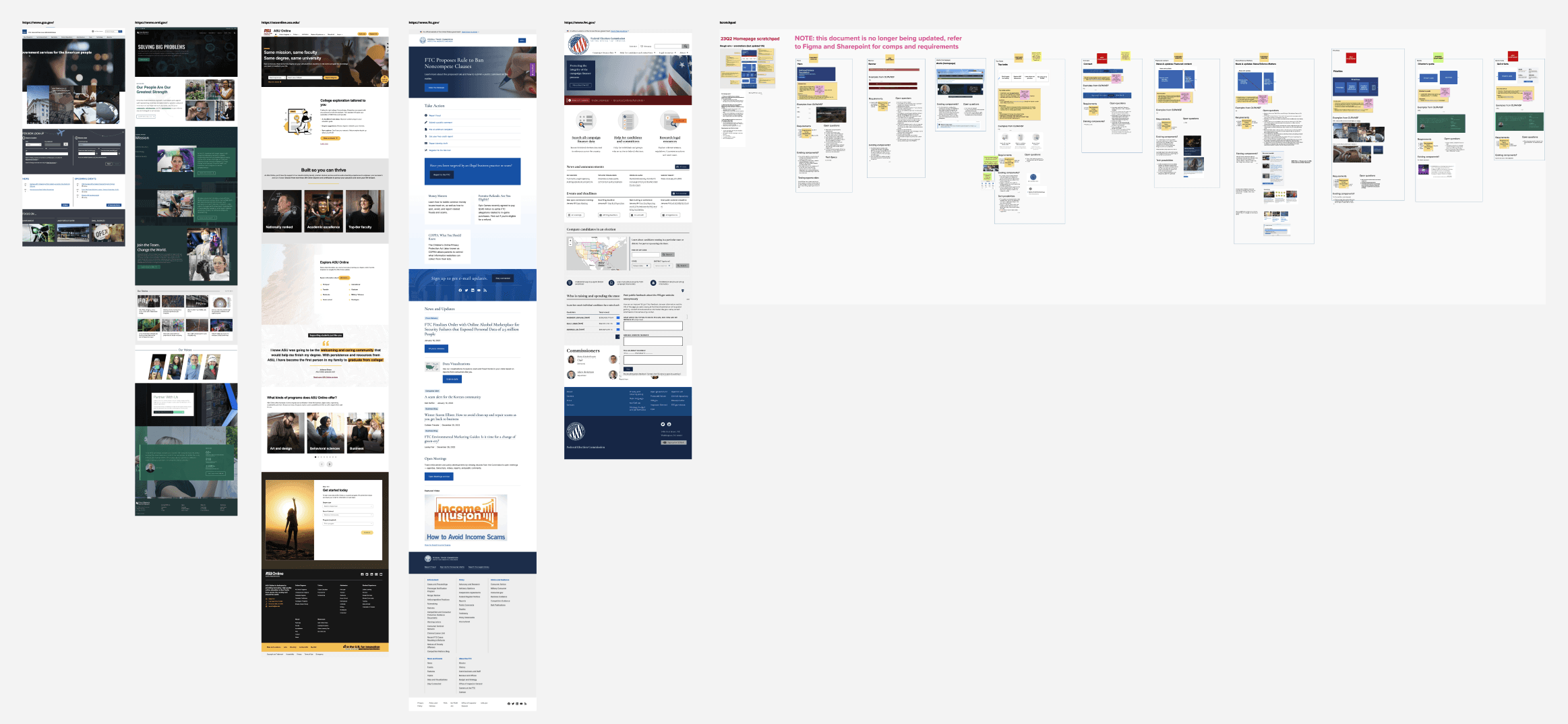
Early sketches
I started with a review of the existing homepage and related federal sites. The original structure lacked clear entry points and visual hierarchy. Early references helped me assess tone, scale, and accessibility expectations across .gov platforms.
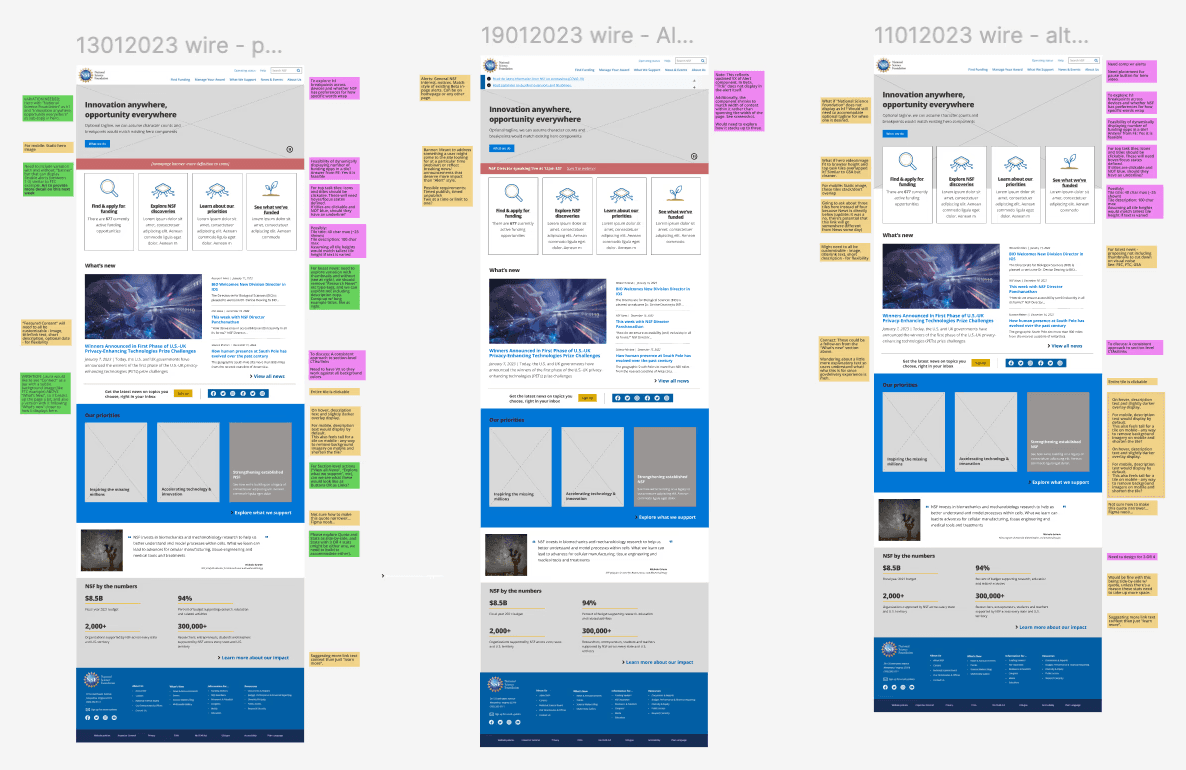
Low fidelity wireframes
The wireframes were created to establish a scalable layout and define key interaction zones. The goal was to create a structure that prioritized usability while supporting flexible content blocks aligned with USWDS principles.
🧩 New Homepage Components
Designed for reusability, accessibility, and visual clarity - all integrated into the design system.
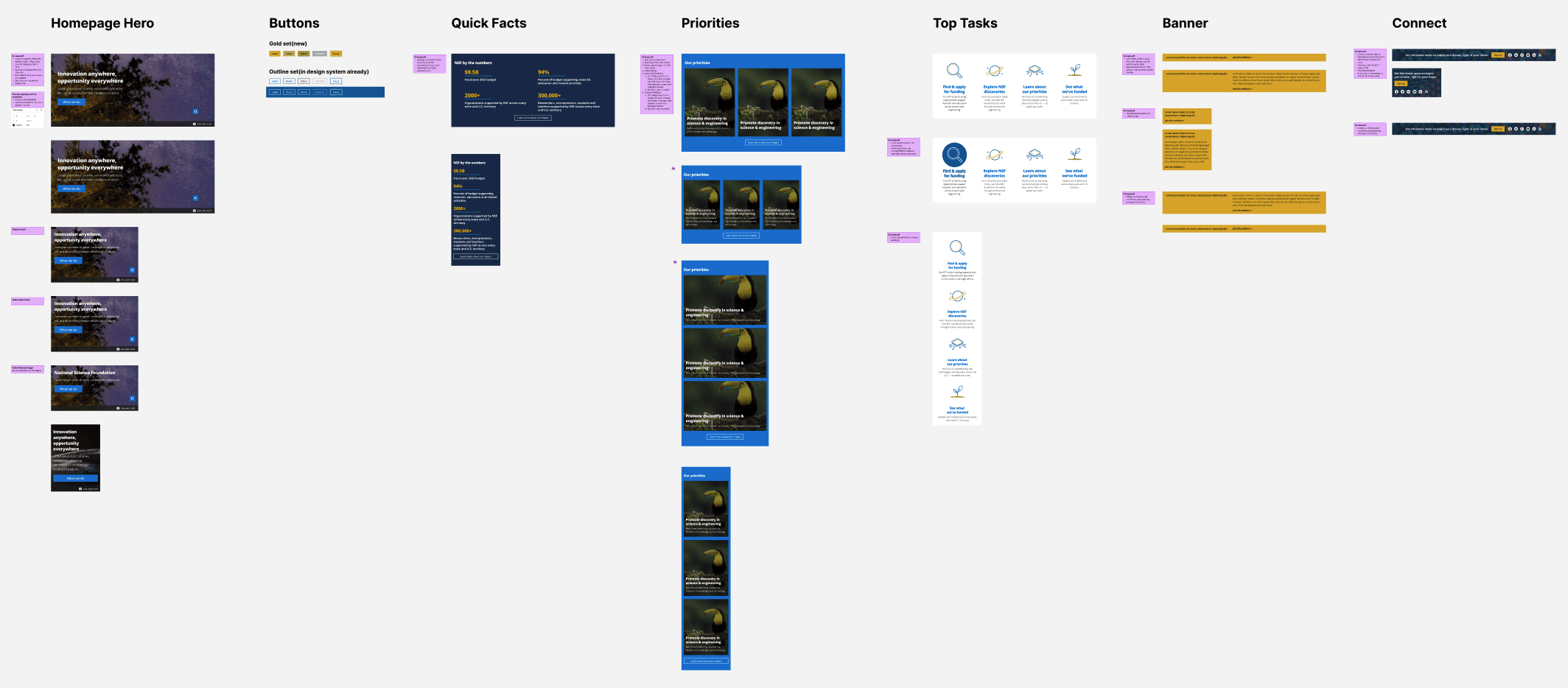
As part of the homepage redesign, I created a set of new UI components tailored for scalable content delivery and visual consistency. These modules were designed with accessibility and responsive behavior in mind, and were later integrated into the broader design system to support future reuse across pages.
The redesigned homepage introduces a modular Hero section featuring a background video to convey energy and purpose, helping anchor the site’s mission while guiding users toward key actions. Additional components include a dynamic “What’s New” section for timely updates, visually engaging image link blocks with subtle animations to improve discoverability, and a set of accessible buttons and a contact banner to support clear user interaction. Each component was designed for scalability, responsiveness, and seamless integration into the broader design system.
All components were built as part of the design system and documented for ongoing reuse. Their flexibility allows for consistent layouts while accommodating evolving homepage needs.
📎 Design Details That Made a Difference
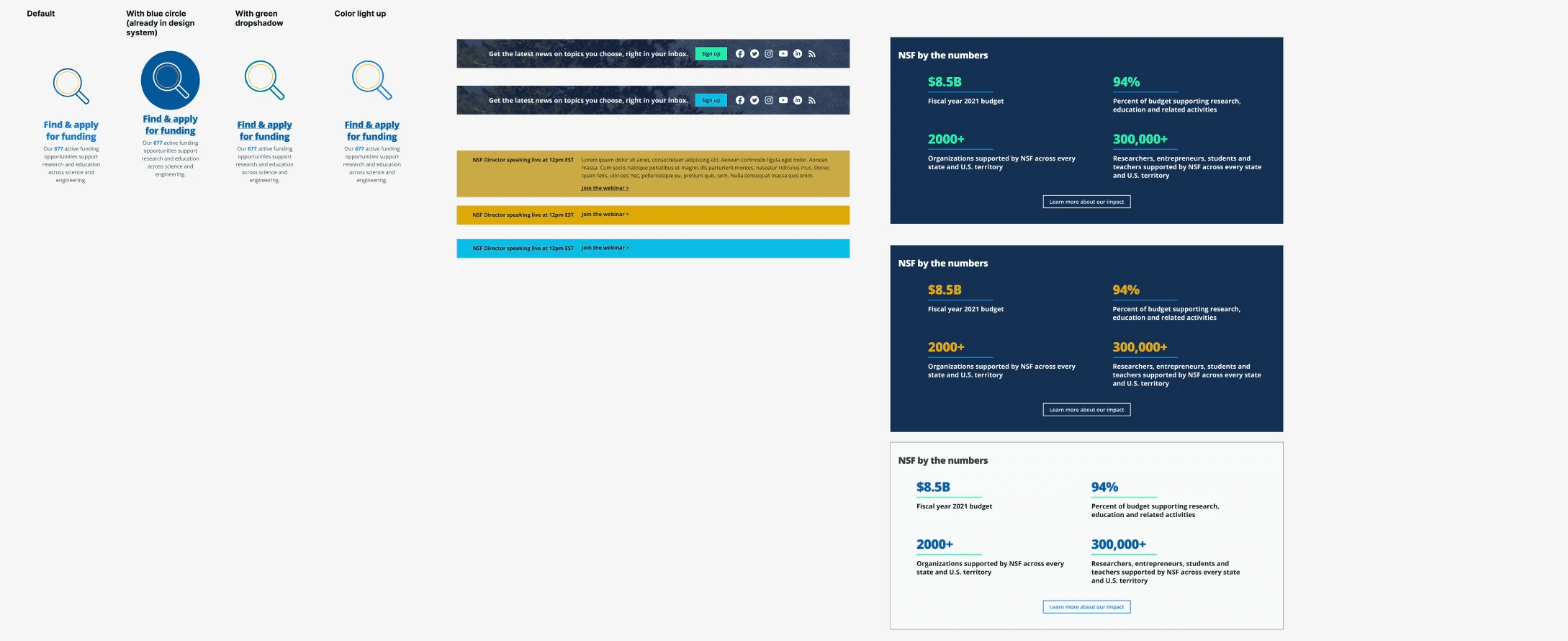
Throughout the redesign process, I explored multiple design variants to refine key components for clarity, accessibility, and visual consistency.
From icon hover states to banner layouts and statistical data sections, each element was evaluated through small but meaningful design decisions. I tested visual treatments like focus rings, shadows, and color fills for interactive icons, balancing aesthetic feedback with WCAG compliance.
For homepage banners and informational modules, I iterated on layout structure, alignment, and contrast to ensure messages remained prominent and easy to scan across screen sizes. These explorations not only improved usability but also contributed to a more cohesive and scalable design system.
Below are a few examples of these visual and interaction refinements explored during the design process.
🖥️ Responsive Design
The homepage was designed responsively to ensure a consistent, accessible experience across desktop, tablet, and mobile devices. Layouts adapt fluidly to screen size while preserving content hierarchy, readability, and interaction clarity.
Several mobile-only design solutions were introduced, including alternate layouts to support vertical scrolling patterns and adjustments to interaction behavior. Since hover states and certain animations are not supported on mobile, key UI elements were reimagined to rely on touch-friendly patterns and clear visual feedback. All components were optimized to meet accessibility standards and built to scale within the design system.
🆕 Before & After
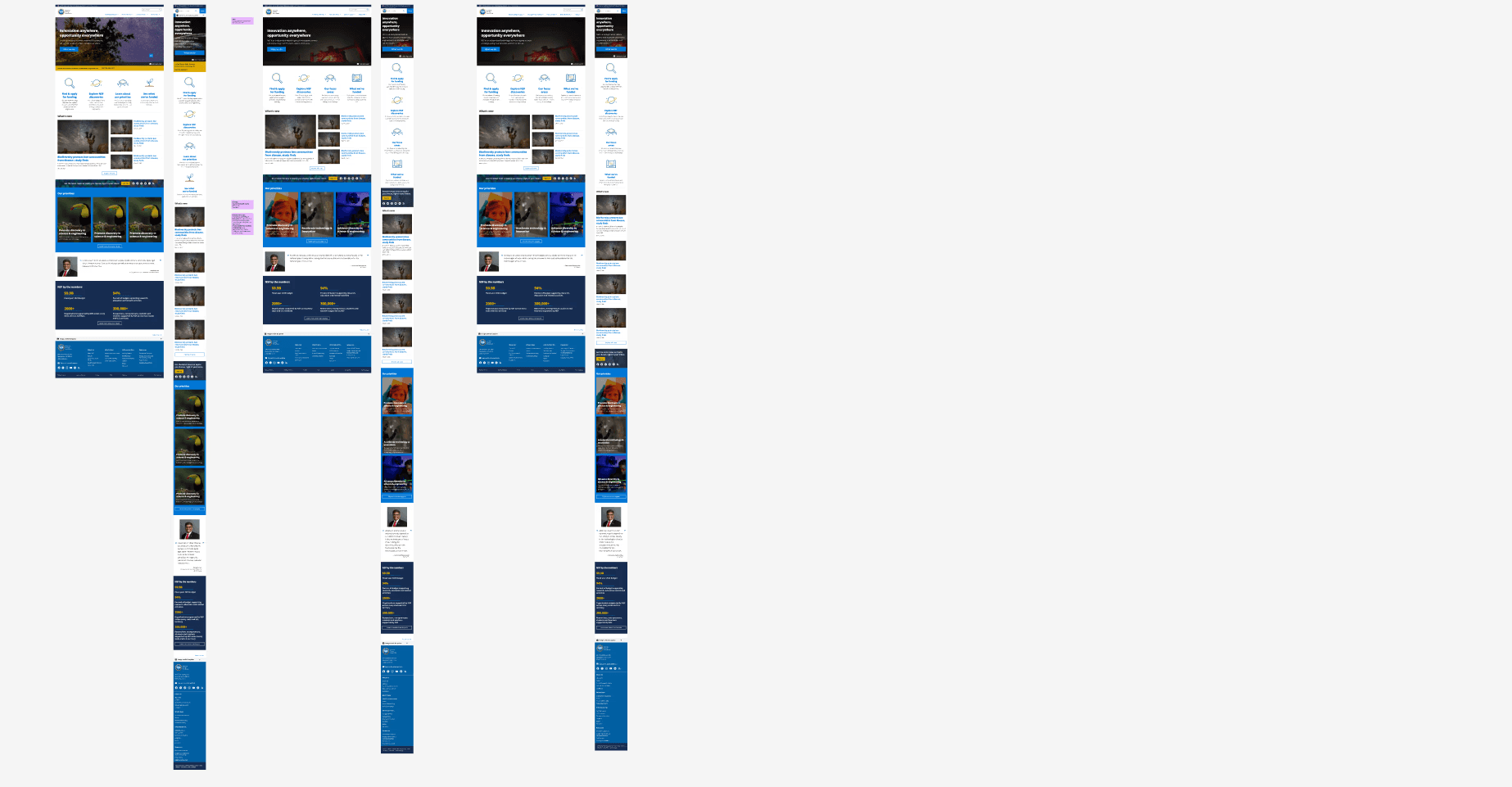
The original homepage presented dense content, minimal visual hierarchy, and a dated layout that made it difficult for users to scan or find key information. Navigation options were fragmented, and important content like news, updates, and priorities were buried below the fold.
The redesigned version introduces a bold, structured layout with a clear hero section, improved navigation, and modular content areas that elevate visibility and usability. Key sections like “What’s New” and “Our Priorities” are now visually distinct and easy to browse. Typography, spacing, and color contrast were optimized for accessibility and readability across devices, creating a homepage that feels more modern, focused, and trustworthy.

✍️ What I Learned
Designing for a public-facing government platform challenged me to balance structure, accessibility, and visual trust, all while working within the constraints and goals of a shared design system.
A major part of this project involved close collaboration with developers, project managers, and client stakeholders. I worked with devs to ensure components were built to spec, accessible, and scalable, and partnered with PMs and clients to clarify priorities, validate design directions, and navigate feedback loops. These conversations not only shaped the design, but also helped bridge the gap between design intention and technical implementation.
Contributing to the design system by creating modular, reusable homepage components taught me how to think systematically while still solving for specific content and layout needs. I also learned how small interface decisions, such as spacing, hover behavior, or responsive adjustments, could meaningfully impact usability and perception.
Most importantly, this project reminded me that good public-sector design isn’t just about polishing pixels. It’s about building clarity, trust, and access into the foundation of every experience.
See more prjects
Yihu Board Game
Led the rebrand and redesign of Yihu Inc.’s global website to support marketing and international board game publishing.
Rebranding • Product Design
NSF.com Staff Directory
Helping users find people faster - a more searchable, structured, and accessible staff directory built with a scalable design system.
Product Design