
NSF.com Staff Directory
Helping users find people faster - a more searchable, structured, and accessible staff directory built with a scalable design system.
Role
Product Designer
Tools
Figma
Time
2024 - 2025
Tags
Search Experience
Design System
Accessibility
.gov Platform
📑 Project Overview
NSF.gov is the public-facing platform of the National Science Foundation, providing access to agency staff, scientific programs, and institutional resources. As the product designer on the agency side, I collaborated with content designers, PMs, engineers, and QA to redesign the staff directory experience from the ground up.
The legacy directory was difficult to navigate, with limited filtering capabilities, unclear structure, and accessibility issues that impacted usability, especially on mobile. Working as part of a cross-functional team, we introduced a restructured content hierarchy, responsive search and filter components, and an interface aligned with the U.S. Web Design System (USWDS).
The final design supports both name-based and exploratory browsing, with improved visual clarity, accessible interaction patterns, and modular components built into the design system. The result is a more inclusive, efficient, and scalable experience for users seeking to connect with the right people at NSF.
🖍️ Key Highlights
• Modular Redesign: Transformed a static, table-based staff directory into a modular layout that clearly reflects organizational structure and team grouping.
• Responsive & Accessible: Built with accessibility and responsiveness in mind, ensuring usability across devices and compliance with WCAG and USWDS standards.
• Systematic Thinking: Refactored the UI into reusable components aligned with design system principles, enabling consistent visual patterns and easier handoff.
• Cross-functional Collaboration: Partnered closely with content designers to refine IA, and worked with developers to align component logic and screen behaviors.
• Interactive Prototype: Explore the redesigned flow in action through an interactive prototype demonstrating search, profile, and team browsing behaviors.
⛓️💥 The Problem
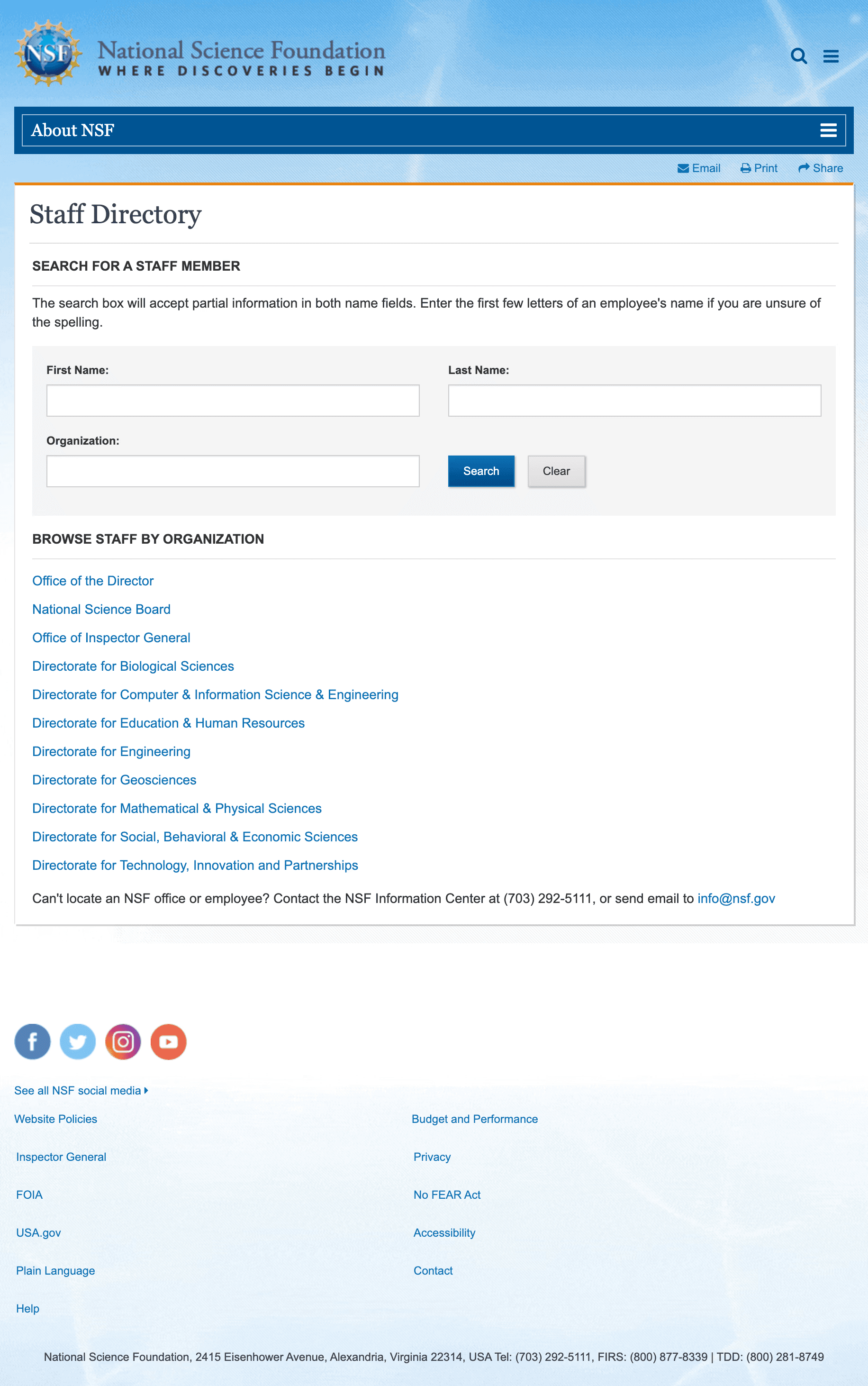
The existing NSF staff directory had become outdated both visually and functionally. Users struggled to locate the right staff member due to limited search behavior, lack of filtering options, and minimal support for exploratory navigation. The design was not responsive, did not meet accessibility standards, and offered little contextual guidance, especially for those unfamiliar with the agency’s structure.
Behind the scenes, the content architecture was also rigid. The legacy directory relied on data from multiple sources (ARM and InsideNSF), with no efficient way to manage or update content through Drupal. While Drupal was selected as the new platform, the goal was not to introduce more editorial complexity, instead, staff data would be fed into the site via an API, and content updates would be automated where possible.
The challenge was to redesign the staff directory to enhance usability, improve the search experience, and modernize the visual design, all while working within a highly constrained technical and editorial environment.
From a design perspective, the challenge was to support both direct and exploratory lookup behavior through a flexible, responsive interface - while maintaining system scalability and content integrity.
Challenges
Redesigning the NSF staff directory involved more than just visual updates, it required rethinking how users search, browse, and engage with information across a complex organizational structure. The core challenge was to create a user-friendly, accessible experience while working within a rigid technical framework and minimal editorial involvement.
The design needed to support both direct and exploratory search behavior, accommodate multiple user paths (by name, role, or organization), and surface relevant information quickly across devices. At the same time, all UI patterns had to align with the U.S. Web Design System (USWDS), meet WCAG accessibility standards, and integrate seamlessly with Drupal and API-driven content.
📋 Design Process: From Structure to System
Information Architecture
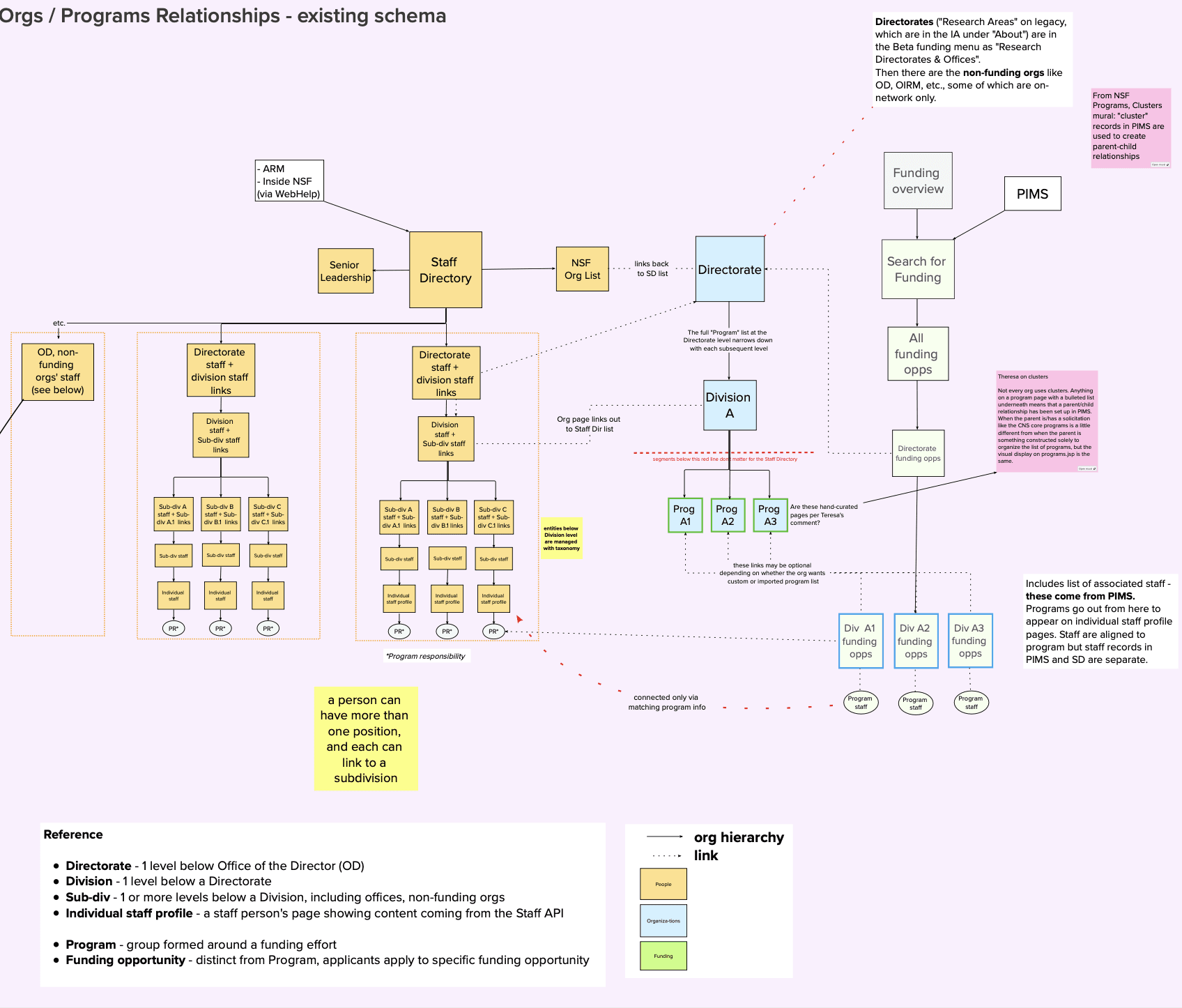
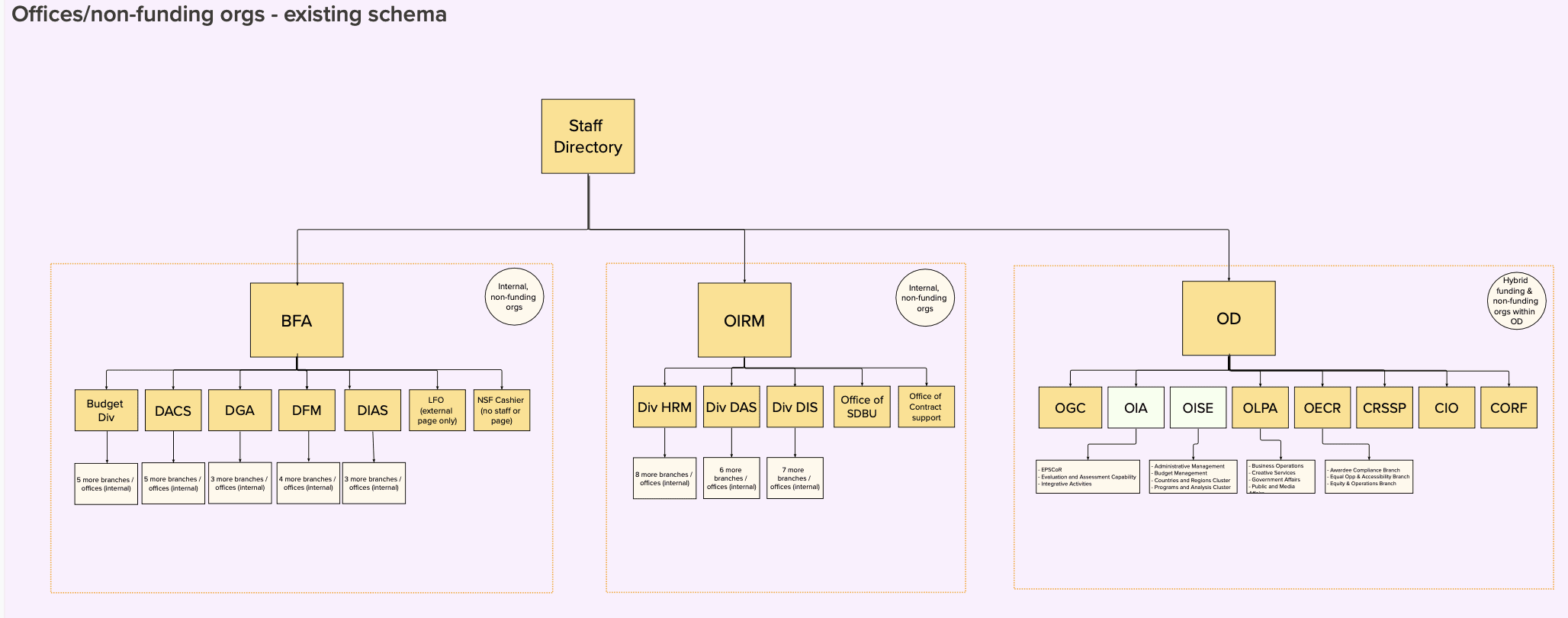
To support the redesign, the content design team developed a detailed information architecture reflecting NSF’s complex organizational structure — including funding and non-funding directorates, divisions, and staff relationships across programs.
This work provided the foundation for page grouping, staff categorization, and cross-linking logic used throughout the directory. While I was not directly responsible for the IA development, I used these structures to inform layout decisions and ensure the interface supported clear, flexible navigation across the system.
📌 Design Decision: Sidebar Navigation
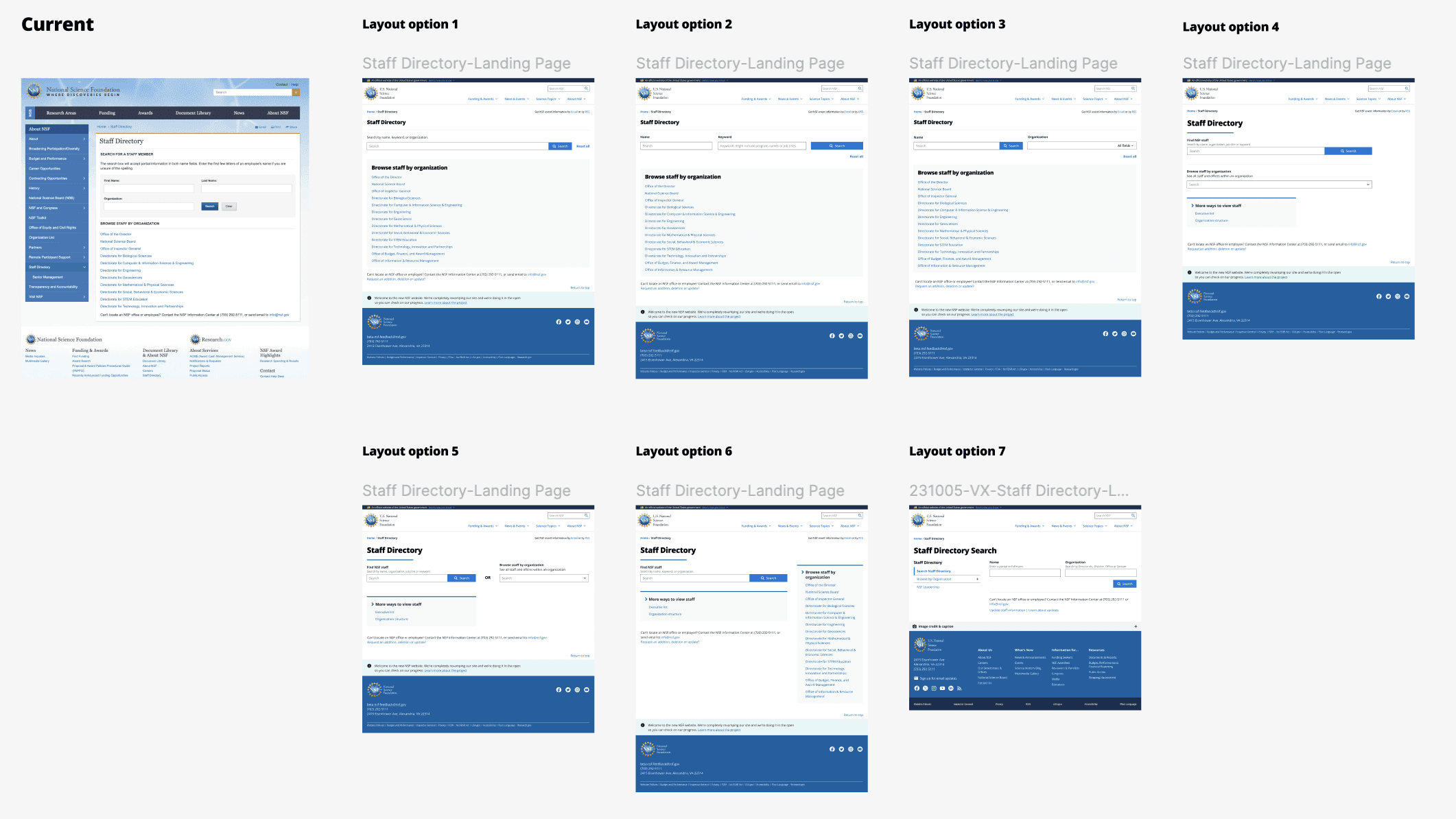
We explored multiple layout directions to improve the usability and clarity of the staff directory landing experience. Each iteration tested different balances of search input, organizational navigation, and on-page guidance - aiming to support both targeted and exploratory user behavior.
The final direction, Option 7, introduced a sidebar menu to consolidate navigation across staff types and organizational units. This allowed the main page area to remain clean and focused on search, reducing cognitive load while still offering flexible paths into the directory.
By offloading complexity into a structured component, this layout offered better visual clarity, improved responsiveness, and stronger alignment with NSF’s evolving content model.
This decision enabled a more scalable and maintainable structure, while giving users clearer control over where to begin, whether searching by name or browsing by organization.
🆕 Before & After
Search Landing Page
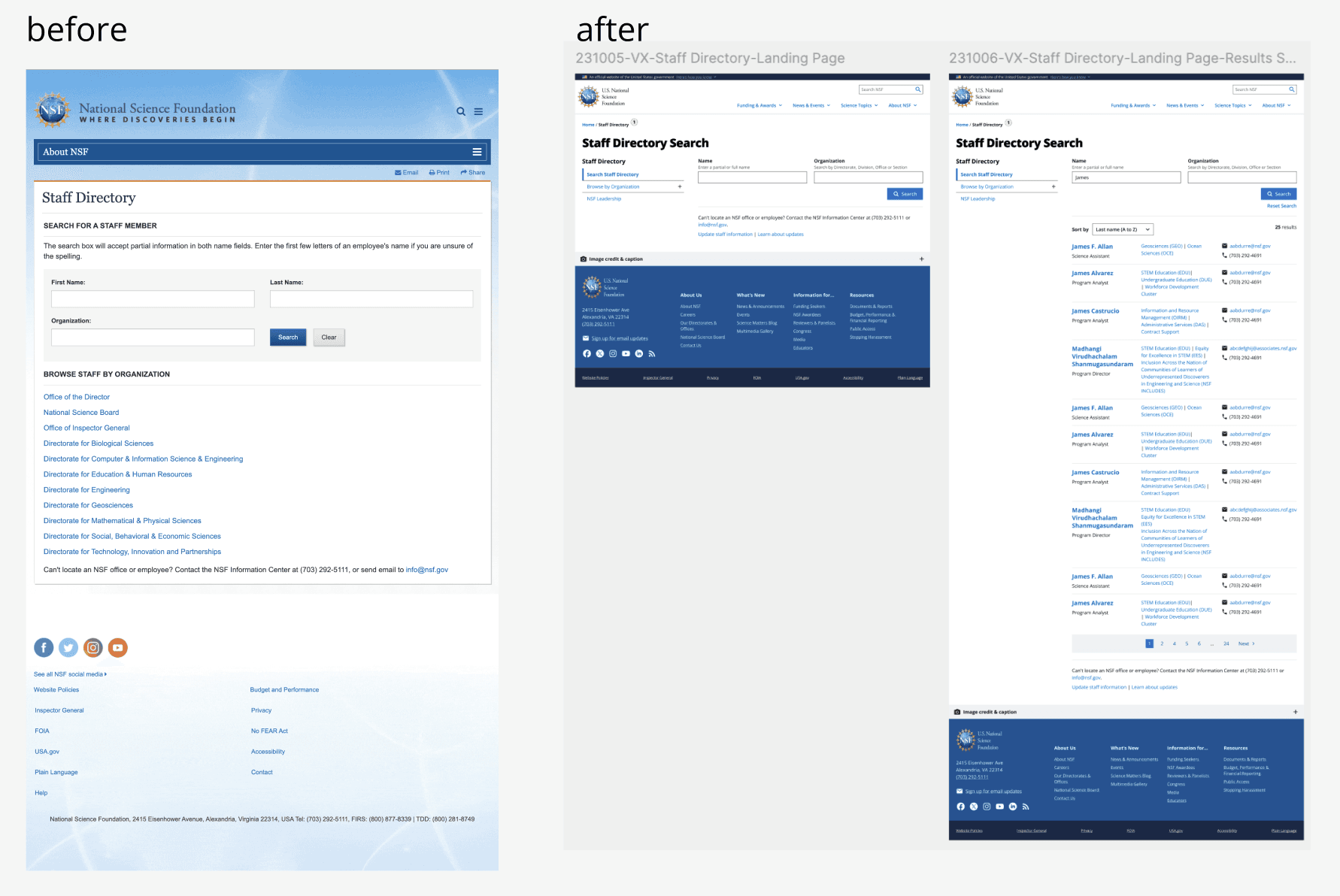
In the legacy design, users had to enter first and last name separately, which made the search process more rigid and less efficient, especially when only partial information was available. The interface lacked support for flexible input, such as partial matches or alternate spellings, and provided little guidance to help users navigate the directory effectively.

In the redesigned version, we introduced a simplified, unified name search field with auto-suggestion, allowing users to search more naturally and efficiently. A new sidebar navigation component was added to support alternate pathways, such as browsing by organization - making the experience more flexible for different user intents.
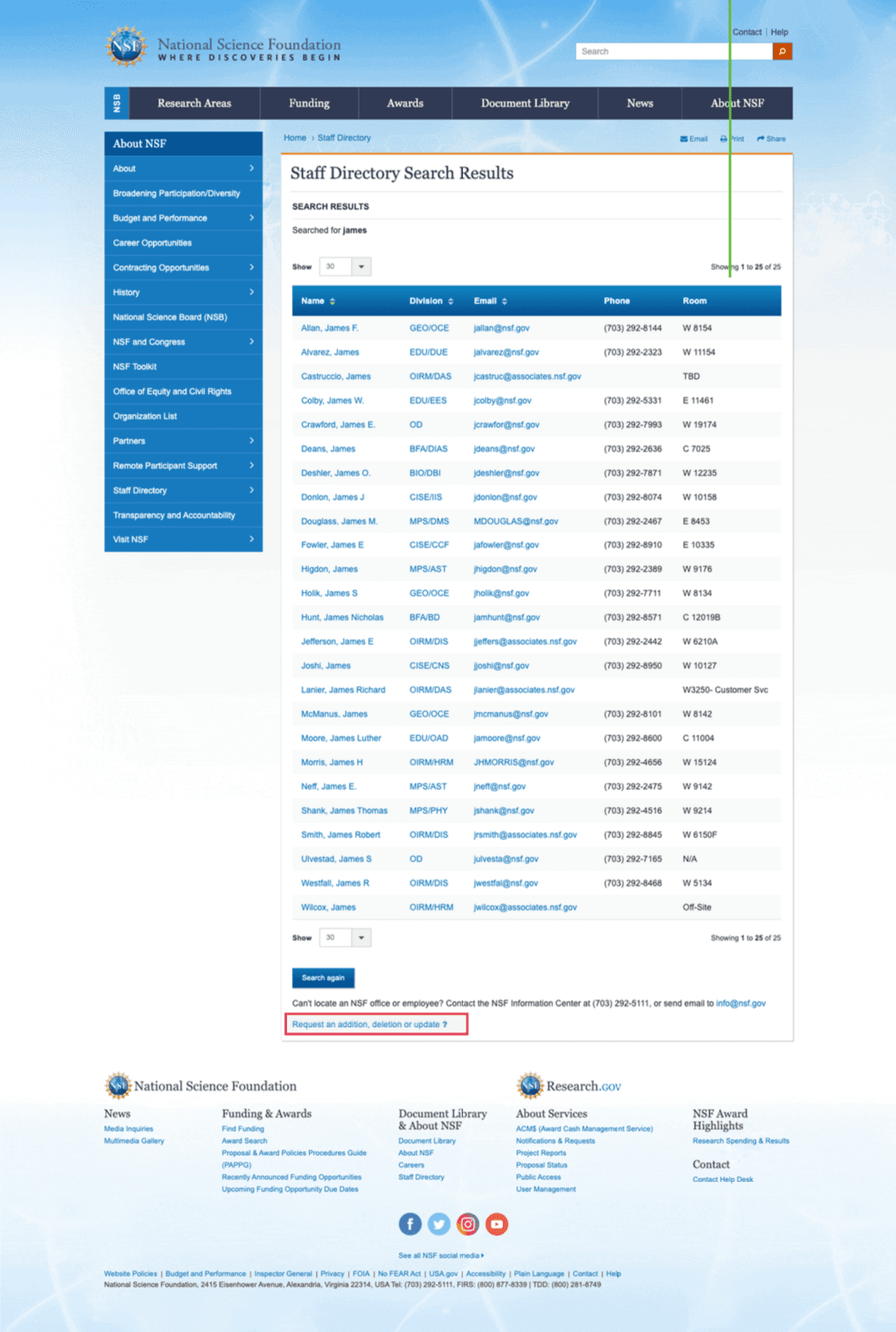
The results view was also restructured using reusable design system components that highlight job roles, affiliations, and contact details with greater clarity and hierarchy. A “Sort by” feature was introduced to give users control over how results are displayed. We also performed stress testing to ensure the layout remained functional with long names, multiple orgs, and extended email addresses.
All updates aligned with USWDS and WCAG standards, improving accessibility, responsiveness, and overall user orientation across devices.
Orgnization Landing Page
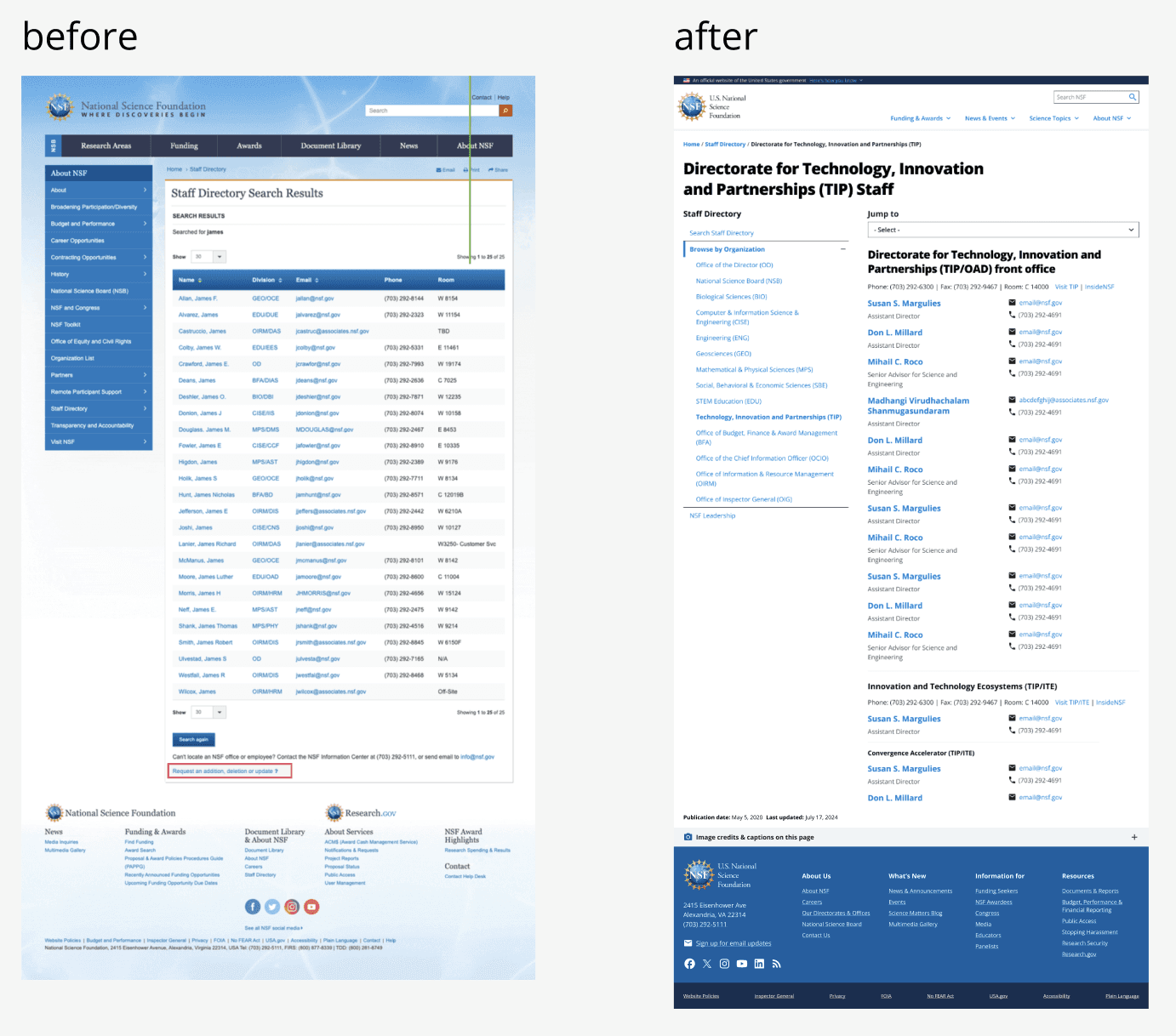
In the legacy experience, organizational staff lists were displayed as static, flat tables with little visual grouping or structural hierarchy. Users had to scroll through long lists manually, with no ability to distinguish teams, understand reporting structures, or navigate within the page.
In the redesigned version, we introduced a modular layout that reflects NSF’s actual organizational hierarchy - from directorates to divisions and sub-units. Each staff grouping is presented using a new, reusable “Staff Directory Org landing” component from the design system, ensuring consistency and clarity across all pages.
To improve navigation on long pages, we added a “Jump to” dropdown menu, allowing users to quickly move between internal sections. We also enhanced the presentation of titles, affiliations, and contact methods to improve scannability and usability, especially on mobile.
In addition to structural improvements, the page adopts a modern visual language, with cleaner typography, consistent spacing, and simplified interface elements. This update not only enhances clarity and accessibility, but also brings the directory experience in line with NSF’s broader visual and digital standards.
Staff Profile Page
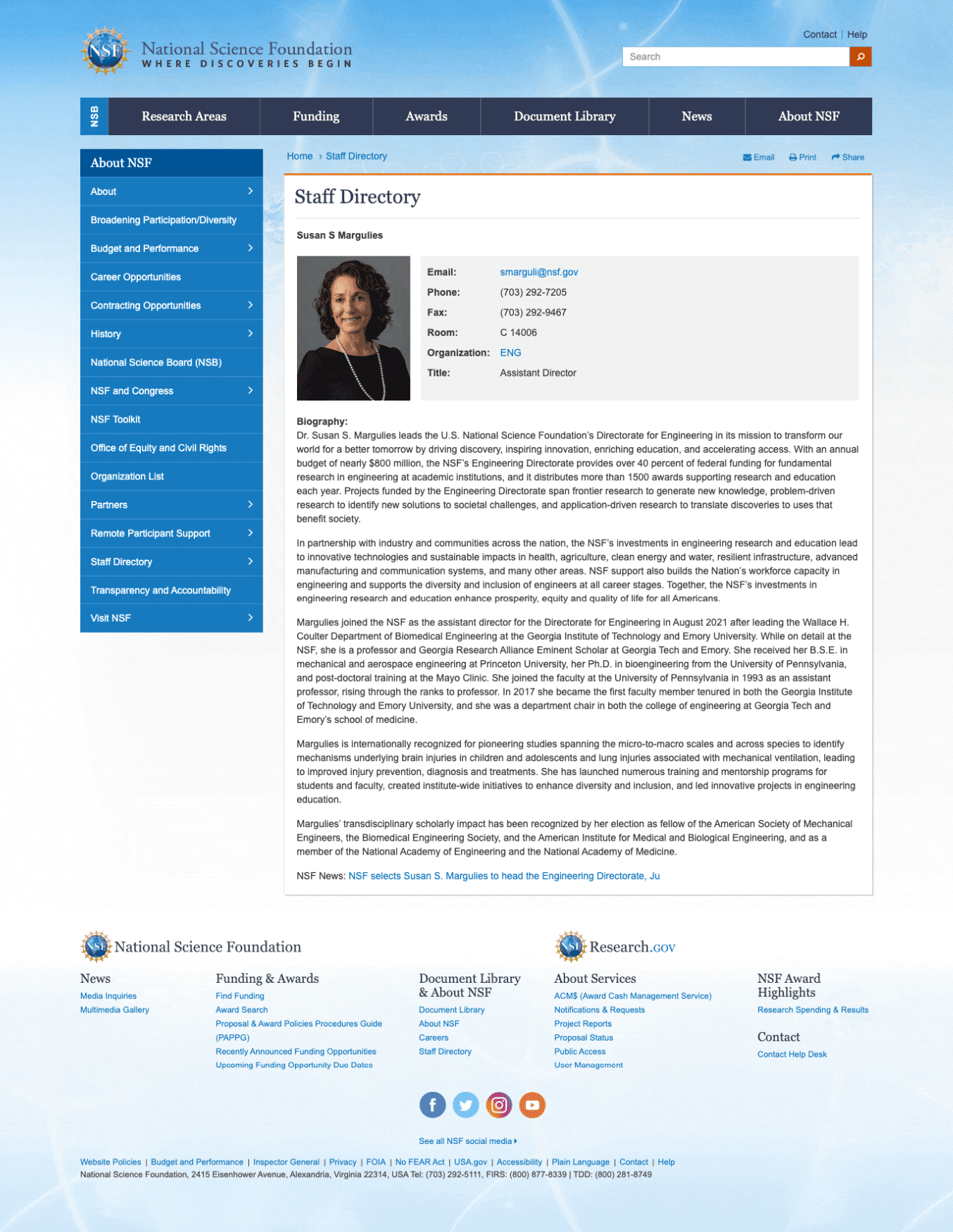
The legacy profile page presented information in a dense block, with limited visual hierarchy and little flexibility to accommodate variations in staff content. Key actions like contact information were buried within a paragraph, and all profiles followed a rigid, one-size-fits-all layout, regardless of role complexity or amount of detail.
In the redesign, we introduced a cleaner, modular layout that adapts to the unique needs of each profile. Whether a staff member had a brief summary or multiple programs, titles, and contact channels, the new design supports flexible content lengths while maintaining visual clarity and consistency. Each section — including program responsibilities, other positions, and biography — is clearly separated using modern spacing, typographic hierarchy, and semantic structure. Contact methods are surfaced more prominently for quick action, and page metadata (e.g. last updated, profile links) is made more accessible and mobile-friendly.
These updates not only modernize the experience visually, but also improve readability, accessibility, and maintainability, especially for users navigating a wide range of staff roles and data formats.
▶️ Search Behavior Prototypes
This project deepened my understanding of how to design within complex, content-driven systems. Collaborating closely with content designers helped me better appreciate the importance of clear information architecture and how thoughtful IA supports usability at every level. Working alongside developers also pushed me to think more technically, ensuring that design decisions aligned with data constraints, CMS structure, and component reusability.
One of my key takeaways was learning how to approach interface design systematically. Rather than designing one-off pages, I focused on breaking down the staff directory into modular, reusable components that could flexibly support a wide range of content types, from program-rich leadership profiles to minimal staff entries. This modular thinking allowed us to build a consistent, scalable experience that could evolve over time and be maintained efficiently within the design system.
✍️ What I Learned
This project deepened my understanding of how to design within complex, content-driven systems. Collaborating closely with content designers helped me better appreciate the importance of clear information architecture and how thoughtful IA supports usability at every level. Working alongside developers also pushed me to think more technically, ensuring that design decisions aligned with data constraints, CMS structure, and component reusability.
One of my key takeaways was learning how to approach interface design systematically. Rather than designing one-off pages, I focused on breaking down the staff directory into modular, reusable components that could flexibly support a wide range of content types, from program-rich leadership profiles to minimal staff entries. This modular thinking allowed us to build a consistent, scalable experience that could evolve over time and be maintained efficiently within the design system.
See more prjects
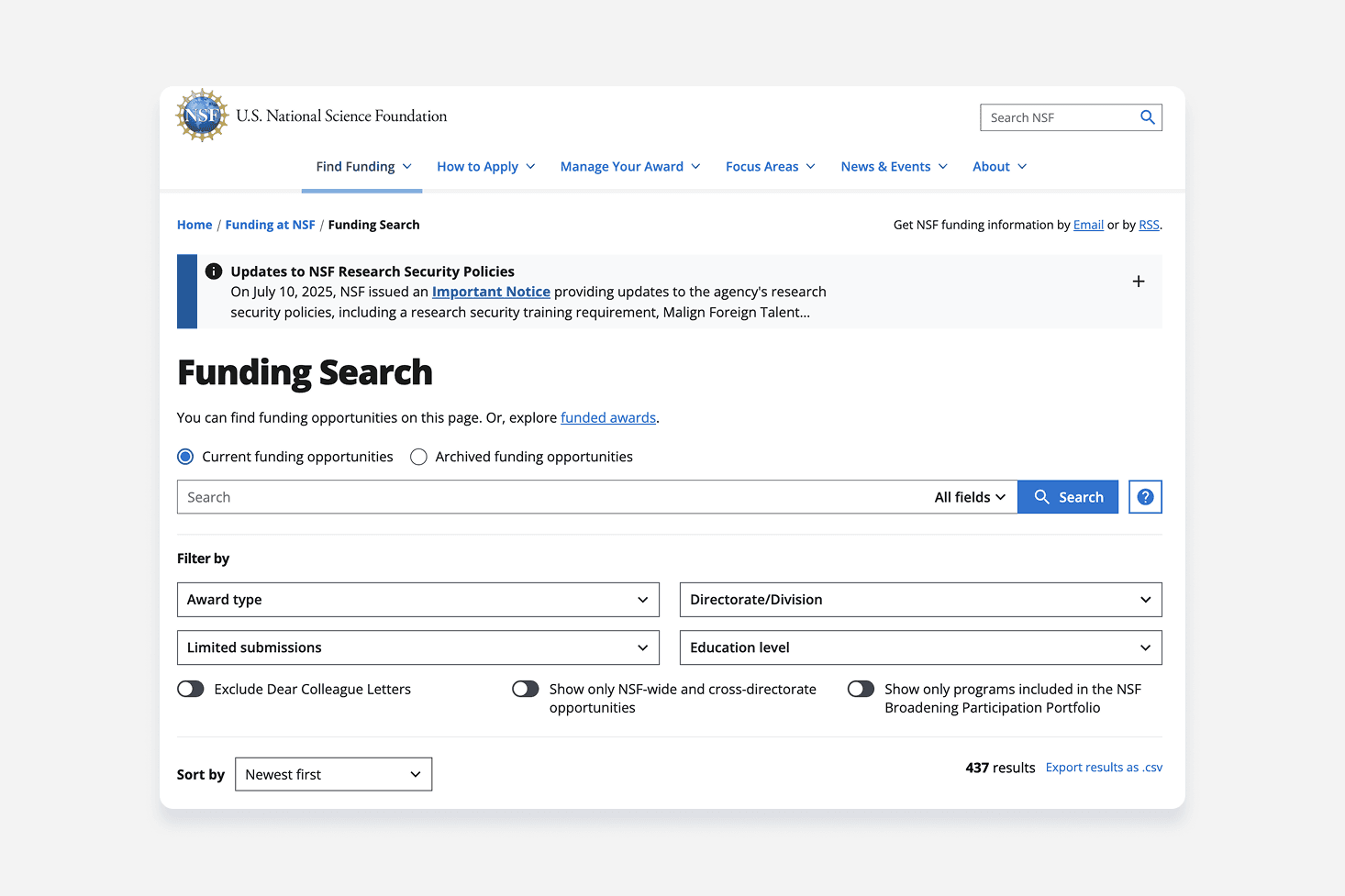
NSF Funding Search Engine
Modernizing a legacy government platform - transforming complex funding data into an intuitive, accessible, and fully responsive search ecosystem.'
Search Experience • Product Design
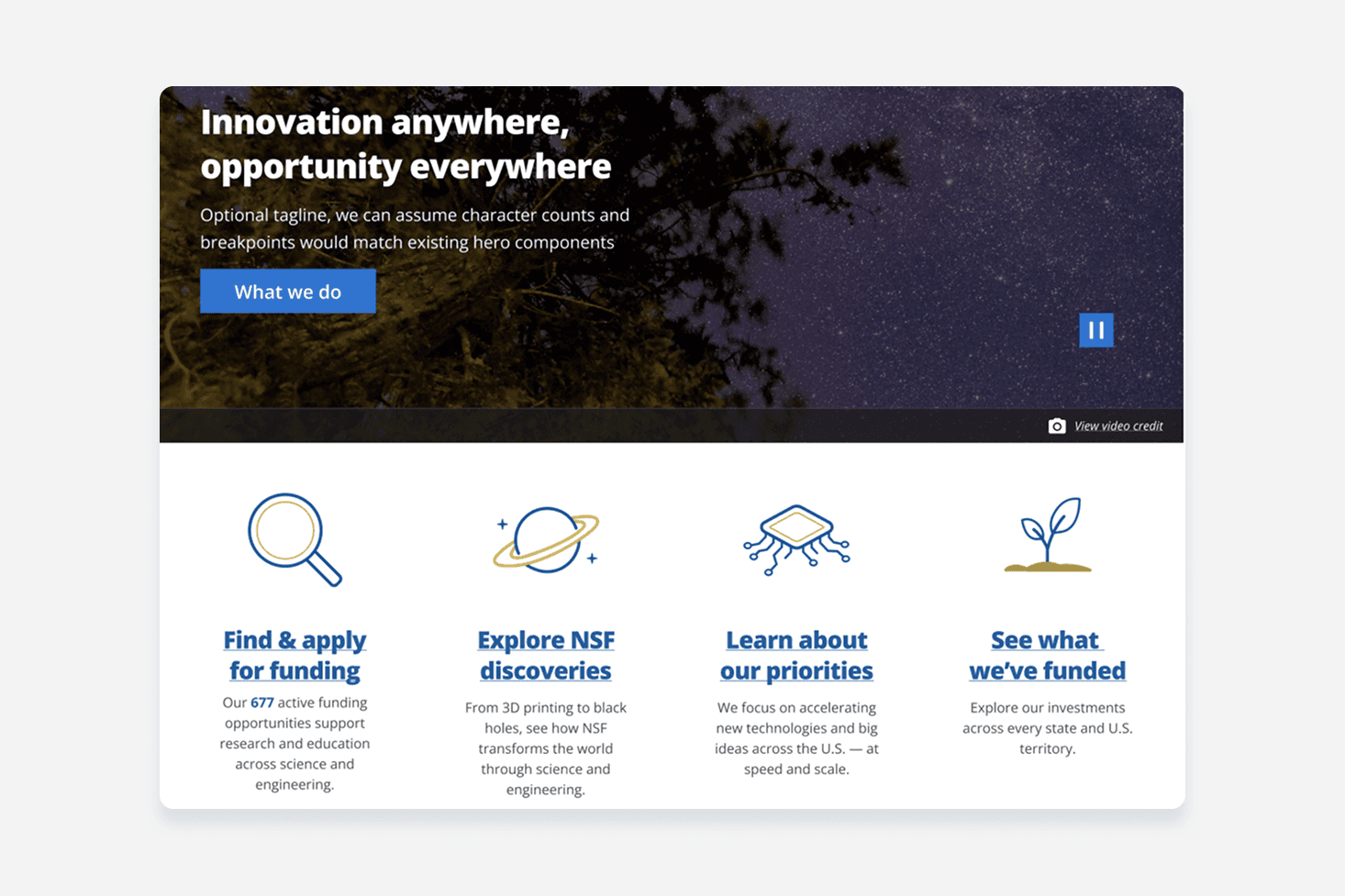
NSF.gov Homepage
A homepage redesign for NSF.gov focused on scalable UI components, accessibility, and trust.
Product Design • Homepage